

Mix, Match, and Master Color with Golden’s Digital Color Mixer
- Posted on
- Posted in acyrlic paint, color mixing, color theory, golden paints
- 0
Color mixing has never been more intuitive, or more fun. Whether you’re planning your next painting, testing out a new color palette, or just curious about how pigments interact, Golden Artist Colors’ Digital Color Mixer (MXR) offers a smart and interactive way to explore the world of acrylic color before you even open a tube.
What Is the Golden MXR?
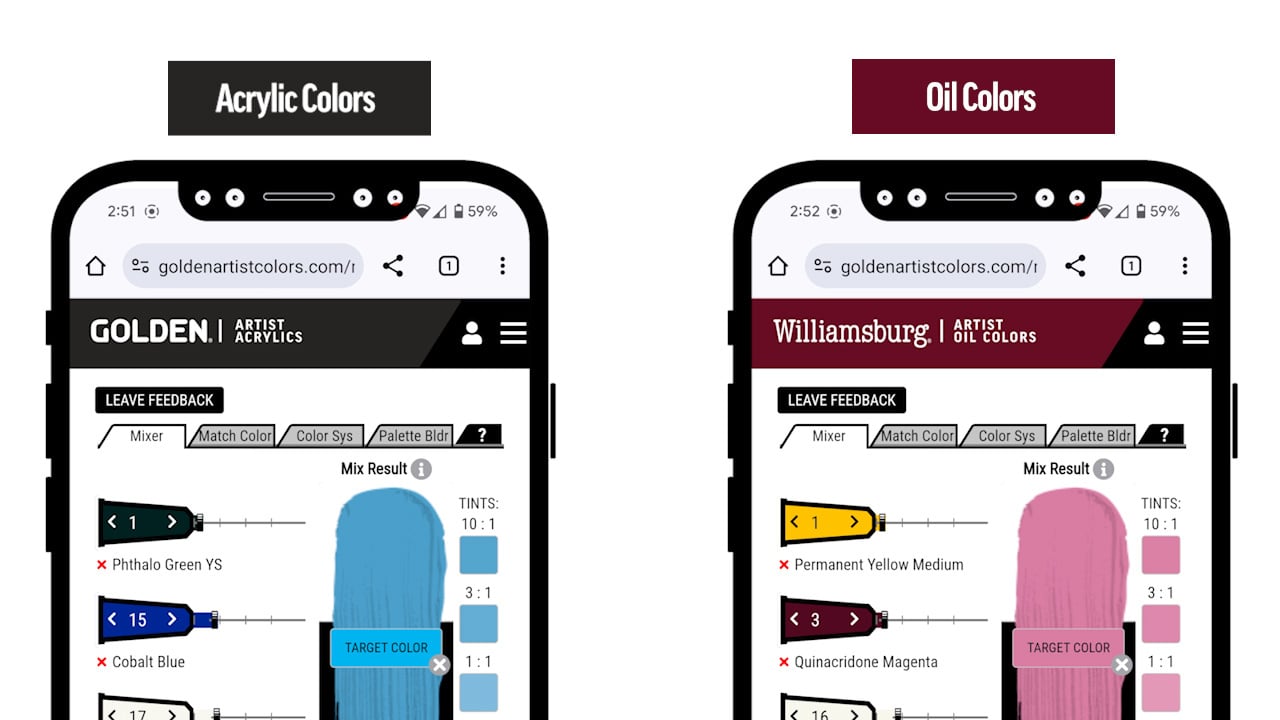
Golden’s Virtual Paint Mixer, called MXR, is an online color laboratory where artists can experiment with acrylic or oil paint mixing in a digital environment that mimics real paint behavior.
This tool lets you:
Mix and match Golden paints to see realistic color results
Build custom palettes or use pre-loaded ones
Match colors from images, or from RGB and CMYK color systems
Save and share your favorite palettes and mixtures
Think of it as a bridge between the analog and digital art worlds, a way to experiment, plan, and learn about pigment interaction without wasting your hard-earned cash (or making a bunch of angst-ridden mud on your palette).
Mixing & Matching: The Heart of the Tool
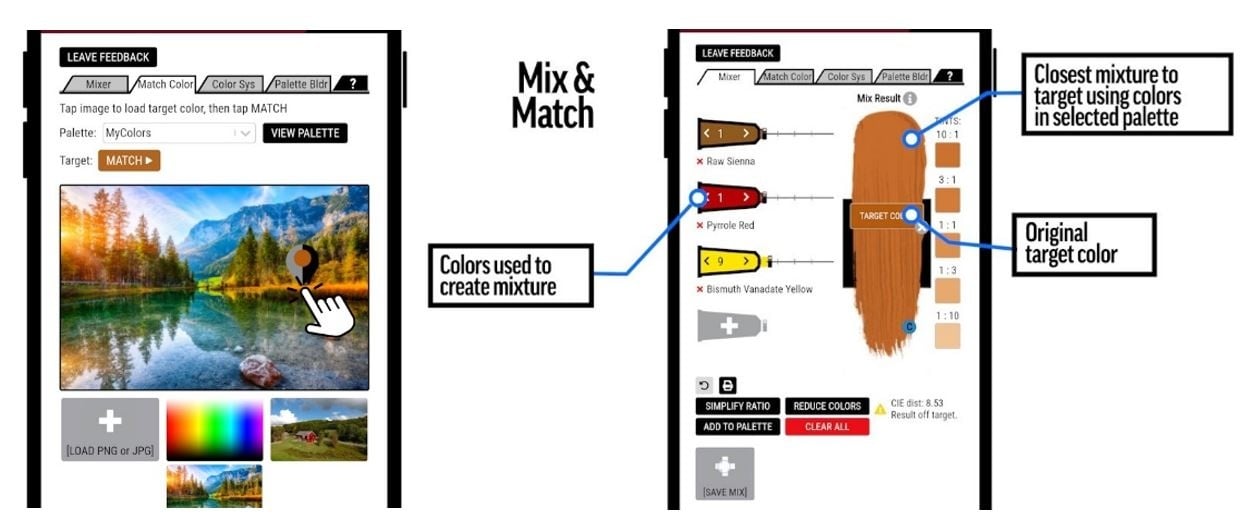
The MXR interface is split into two primary sections. The first, Mixing & Matching, contains a set of tabs that give you complete creative control:
Match Color
Upload an image or use one of the preloaded examples. Click anywhere on the image to sample a specific color, and MXR will create the closest possible paint mixture using Golden colors from your chosen palette. It’s perfect for artists trying to match a tone from a photo, painting, or digital reference.
Color System
Match or recreate colors using RGB or CMYK codes. This is especially helpful if you’re translating a digital project into paint or vice versa.
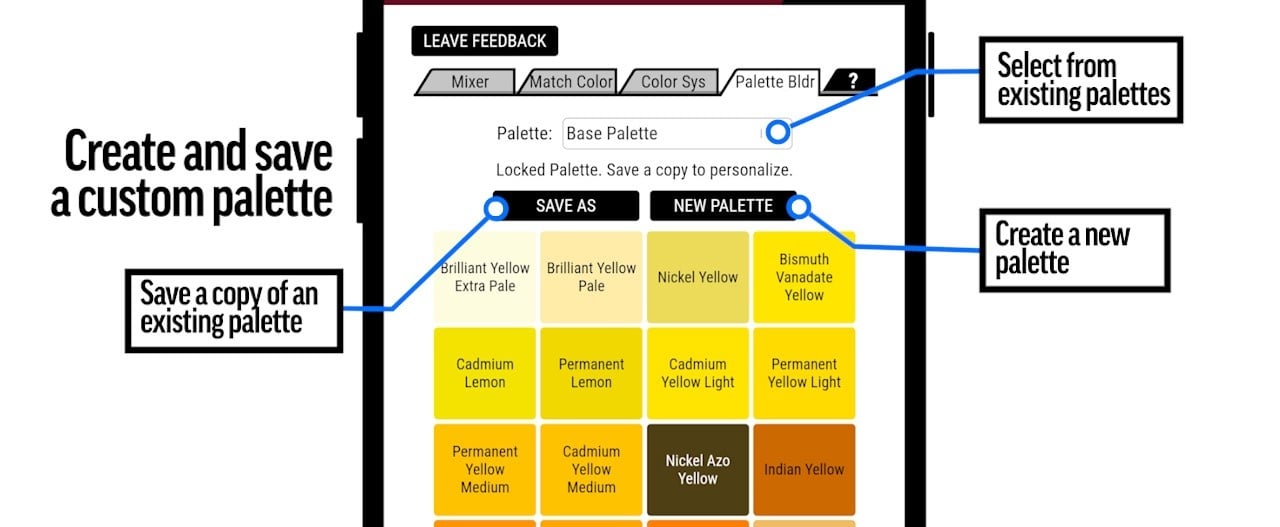
Palette Builder
Create your own custom palette or start with one of Golden’s curated sets. You can add, remove, or edit paints to focus on the colors you use most often.
Help
A quick-access guide that explains every feature as you go, so you’ll never get lost in the color wheel.
The Mixture and Swatch Area
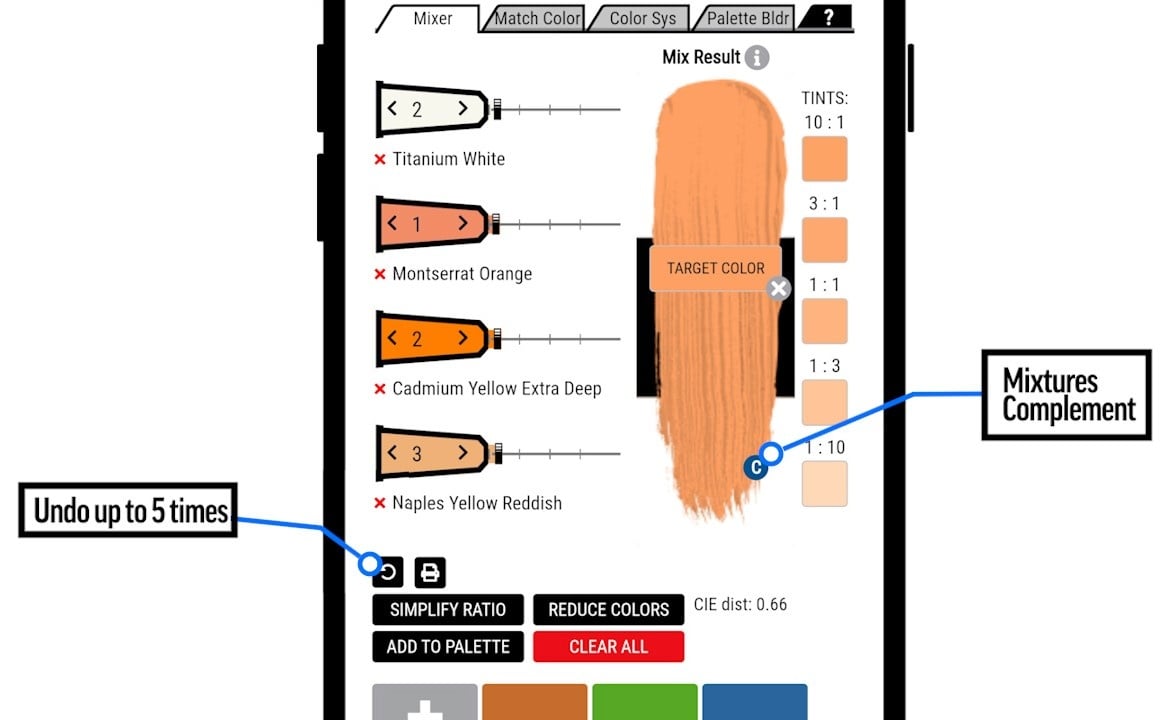
Once you’ve chosen your colors, your results appear in the Mixture/Swatch panel—the second main section of the tool. Here, you can:
Adjust Paint Tubes
Each paint color appears as a digital tube. You can drag caps, change ratios, or swap colors until your mixture is perfect.
View Complementary Colors
Click the “C” icon to generate a complementary color.
See Tints
The mixer shows how your blend behaves when mixed with titanium white, from rich, saturated tones to subtle pastels.
Check Accuracy
The CIE distance indicator shows how close your mix is to the target color. A yellow alert signals a mild deviation; red means you might need to adjust your mix.
Simplify Ratios
Convert complex numeric formulas into easy percentages or “parts,” making it simple to mix by eye in the studio.
You can also print, save, or add mixtures to your palette. Each saved mix includes full RGB, CMYK, and weight ratio information, allowing you to recreate it exactly later, digitally or physically.
Why It’s Useful for KCAI Artists
For those studying color theory, design, or painting, the MXR is more than just a convenience; it’s a stress-free teaching tool. Golden’s MXR is designed for experimentation. It encourages play, learning, and a deeper understanding of how color really works. It visualizes how pigments interact, helps identify warm vs. cool variations, and reinforces how opacity and transparency influence the result.
Planning a color scheme for a painting? Upload a photo of your reference and match its key tones before you even touch a brush. Working digitally but painting traditionally? Use the CMYK or RGB match feature to make your color translations more accurate.
And once you’ve built your palette digitally, you can come into The Underground and pick up the exact Golden Acrylics you need to bring it to life.
Try it now: goldenartistcolors.com/mixer/acrylic
Comments
Be the first to comment...